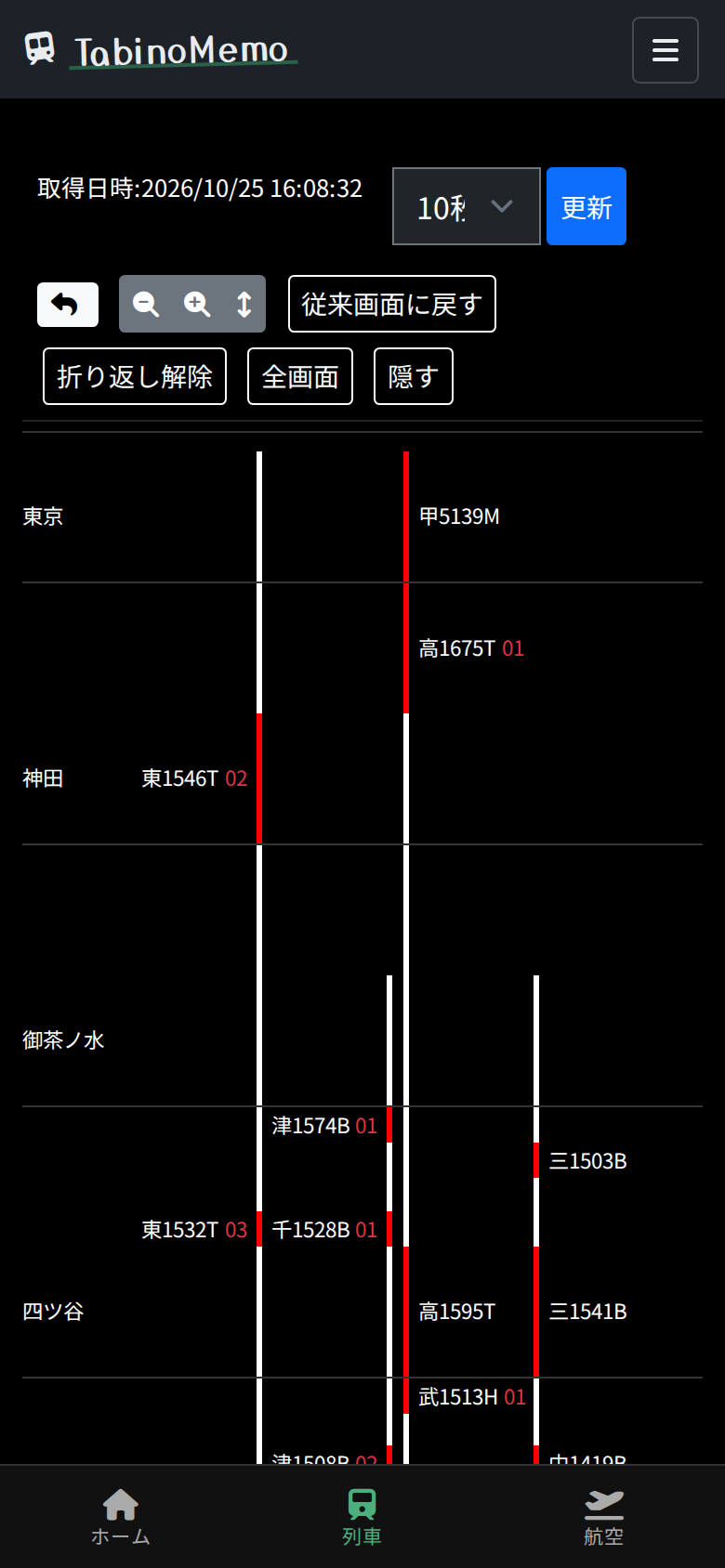
Train locations (TID)
For each line, a diagram with the stations lined up vertically (the TID) shows where trains are running right now.
Railway service status (choose an operator and a line)
Open "Train service status" in the menu to see the lines listed by operator.

- Each square next to a line is one running train. A brown square is a train that is 5 or more minutes late.
- Press "Most delayed first" to sort the lines so that those with the most delayed trains come first.
- Press an operator name to go to that operator's page. There you can check the official service status and the inbound and outbound delays for each line.
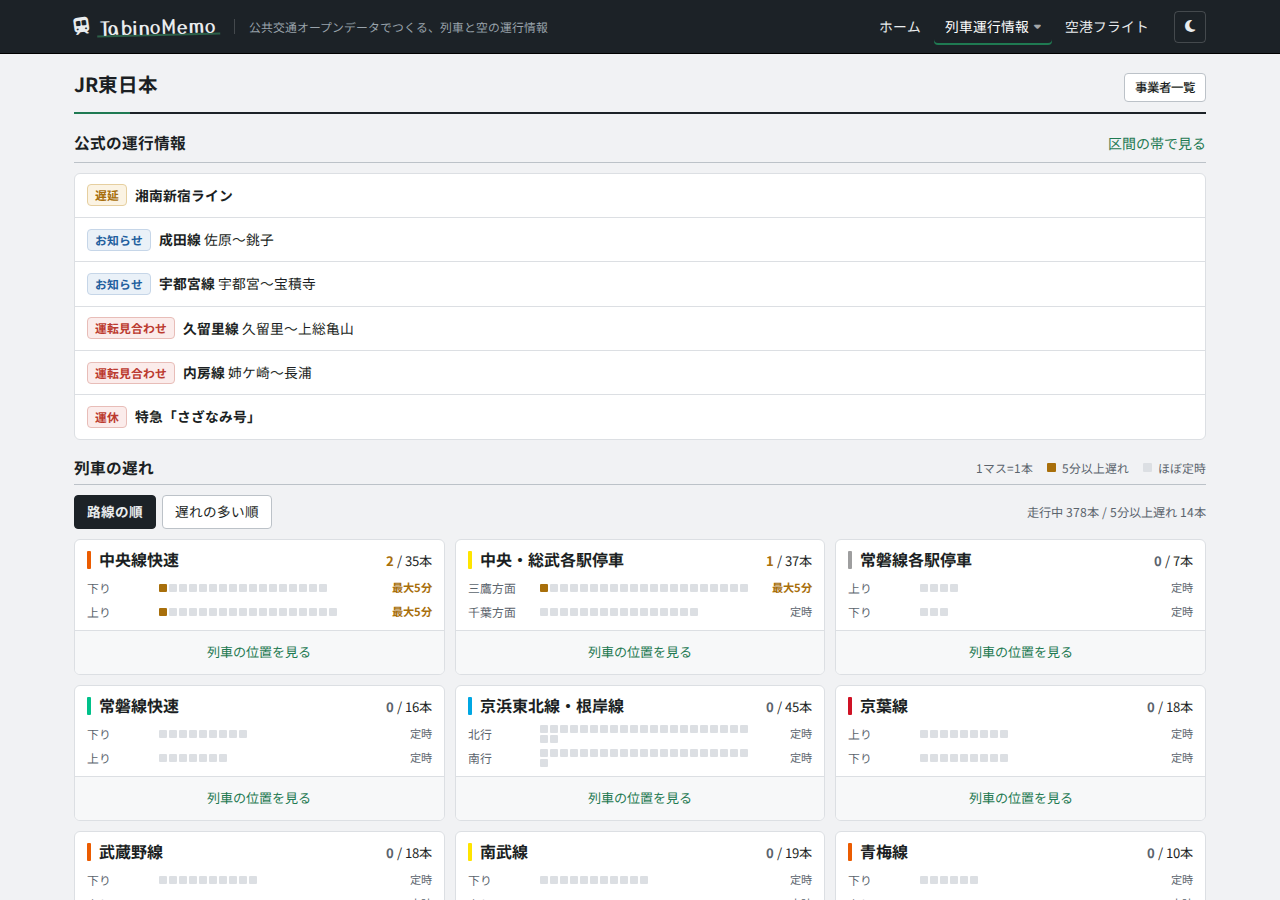
Press "View train locations" on a line to open that line's TID.
Supported operators
| Train locations | Operators |
|---|---|
| Shown from a train location feed | JR East (Tokyo area), Toei Subway, Tobu Railway, Keio, Keikyu, Yokohama Municipal Subway, Hakodate City Tram |
| Estimated from the timetable | Tokyo Metro, Sotetsu, Tsukuba Express, Rinkai Line, Tama Monorail |
The TID for the Keikyu Main Line also continues past Sengakuji onto the Toei Asakusa Line (as far as Oshiage).
How to read the TID
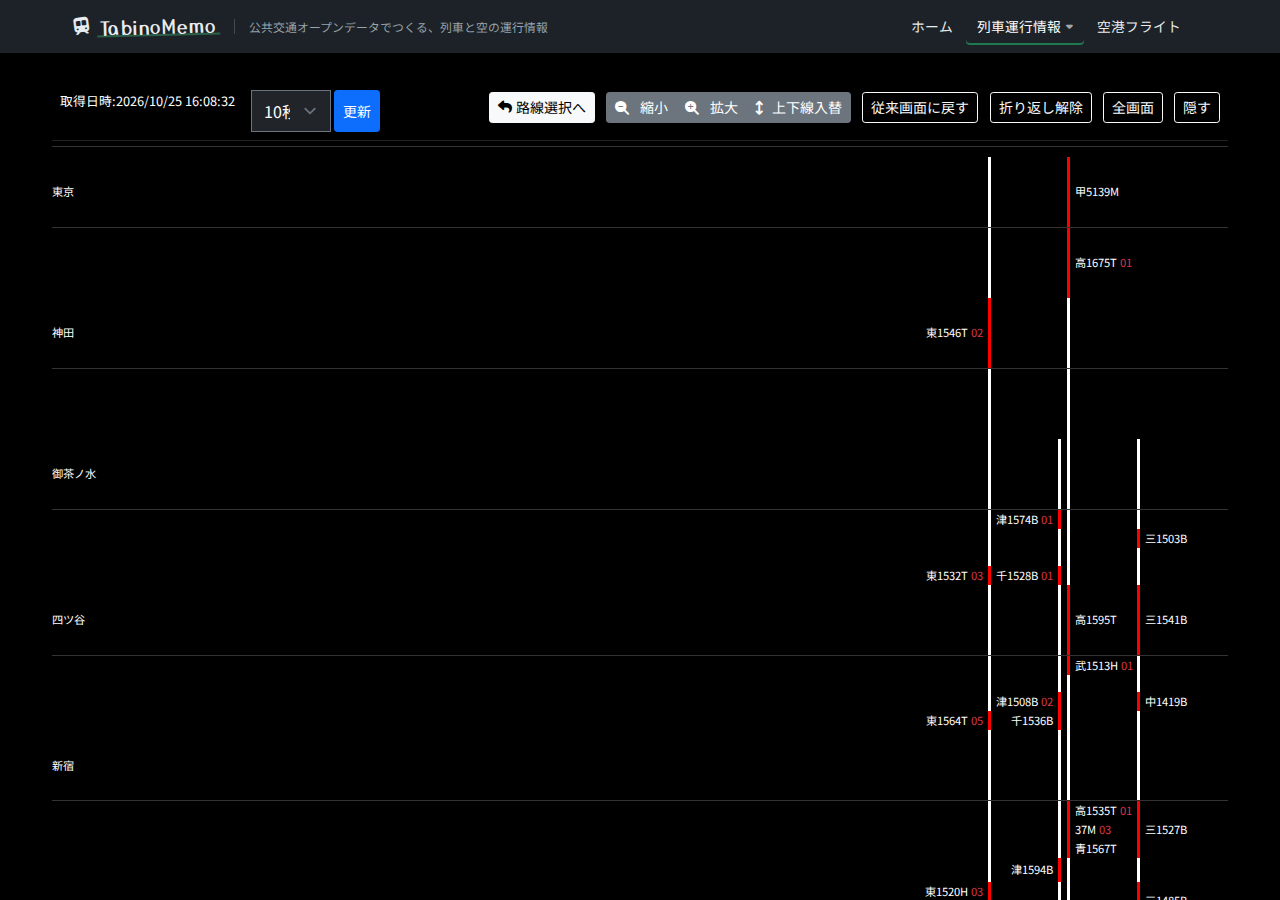
- Stations are lined up from top to bottom in line order. The two tracks on the left and right are inbound and outbound.
- A section with a train in it turns red.
- The text beside a train is the first character of the destination plus the train number. For example, "東1474T" is train 1474T for Tokyo.
- The red number after the train number is the delay in minutes ("02" means 2 minutes late).
- In quadruple-track sections (such as Ochanomizu to Mitaka on the Chuo Line Rapid), the diagram shows four tracks and also displays trains of the parallel lines.
Toolbar
The area at the top of the screen lets you change the display.
| Button | What it does |
|---|---|
| Retrieved at | The time the train location data was received |
| Refresh interval (e.g. 10 sec) / Refresh | Choose how often the data refreshes automatically. "Refresh" reloads it right now |
| Back to line selection | Returns to the operator's line list |
| Zoom out / Zoom in | Narrows or widens the spacing between stations |
| Swap directions | Reverses the top-to-bottom order of the stations |
| Back to classic view | Switches to the earlier display with stations laid out horizontally (use "Back to phone layout" to return) |
| Wrap / Unwrap | Wraps a line with many stations into several columns to fit the screen width |
| Hide freight / Show freight | Turns the display of JR Freight trains (shown as an estimate, like "Train 88") off or on (JR East TID only. The setting is kept in your browser) |
| Full screen | Shows only the TID, filling the screen |
| Hide | Hides the toolbar |
Viewing a train's timetable
Press a train number to open that train's timetable.

- Time is the timetable time, Forecast is the expected arrival or departure worked out from the train location data, and Delay is the delay in minutes.
- Stations the train does not stop at show "Passes".
- Press "Ride this train" to go to the screen for creating a ride record for this train (login required).
Trains running on sections with no JR East timetable (such as beyond Takao on the Chuo Main Line) may not be able to show a timetable.
Positions estimated from the timetable
Train locations are not broadcast for Tokyo Metro, Sotetsu, Tsukuba Express, Rinkai Line, and Tama Monorail, so the positions shown are where trains would be if they ran exactly to the timetable.
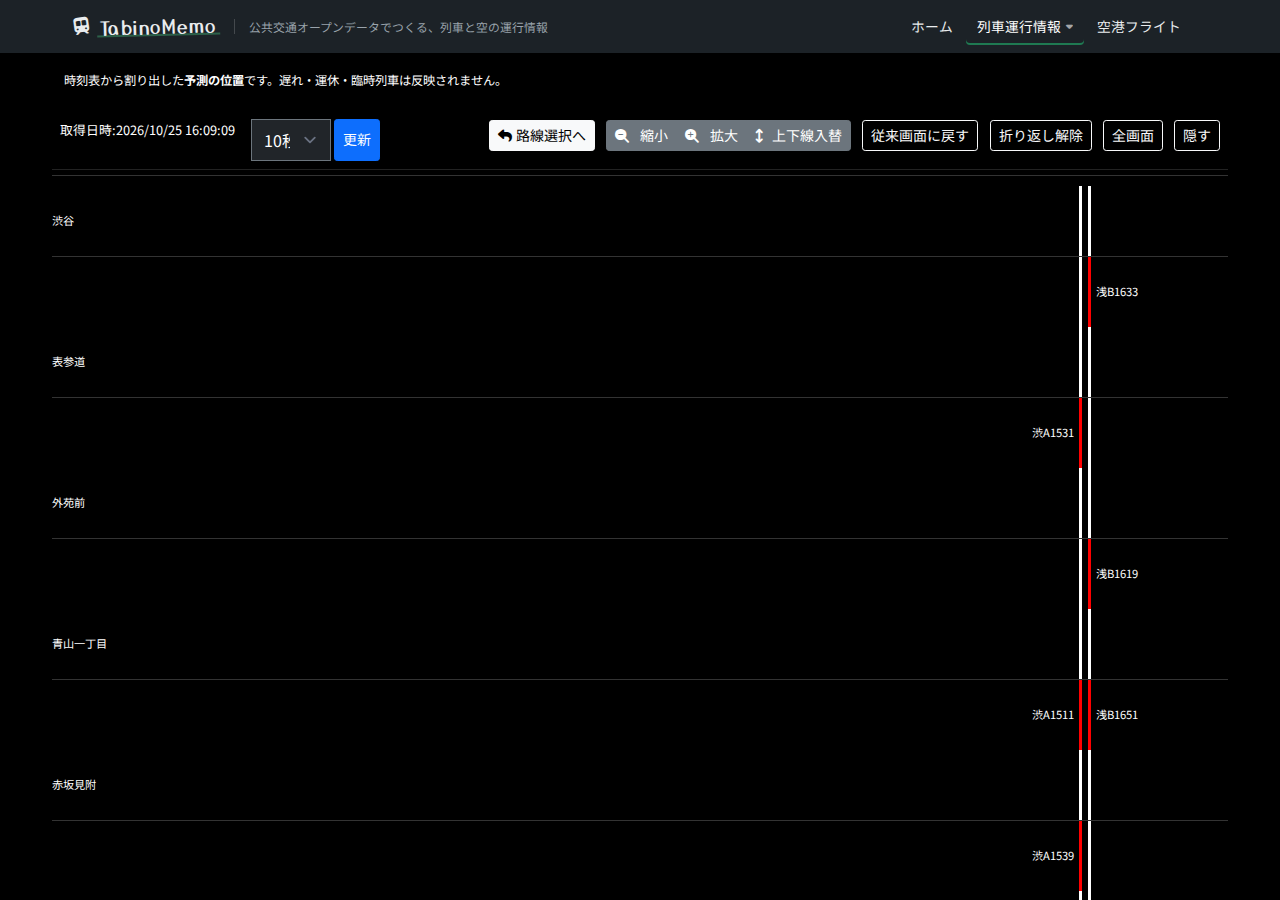
- A message at the top of the screen says "These are positions estimated from the timetable."
- Delays, cancellations, and extra trains are not reflected.
Viewing on a smartphone
On a smartphone, the toolbar buttons show icons only. Scroll the screen vertically to view.